Pages & boards
Organize bookmarks into visual boards you can move, resize, and color.
Boardmarks
Replace Chrome's New Tab with a glass-style workspace. Import bookmarks, Quick Save tabs, plan dates, and keep reminders visible. Free to start, private, and stored locally on your device.
Now live on the Chrome Web Store.
Local-first
No account
7-day trial
No card needed
Chrome MV3
Ready
Product
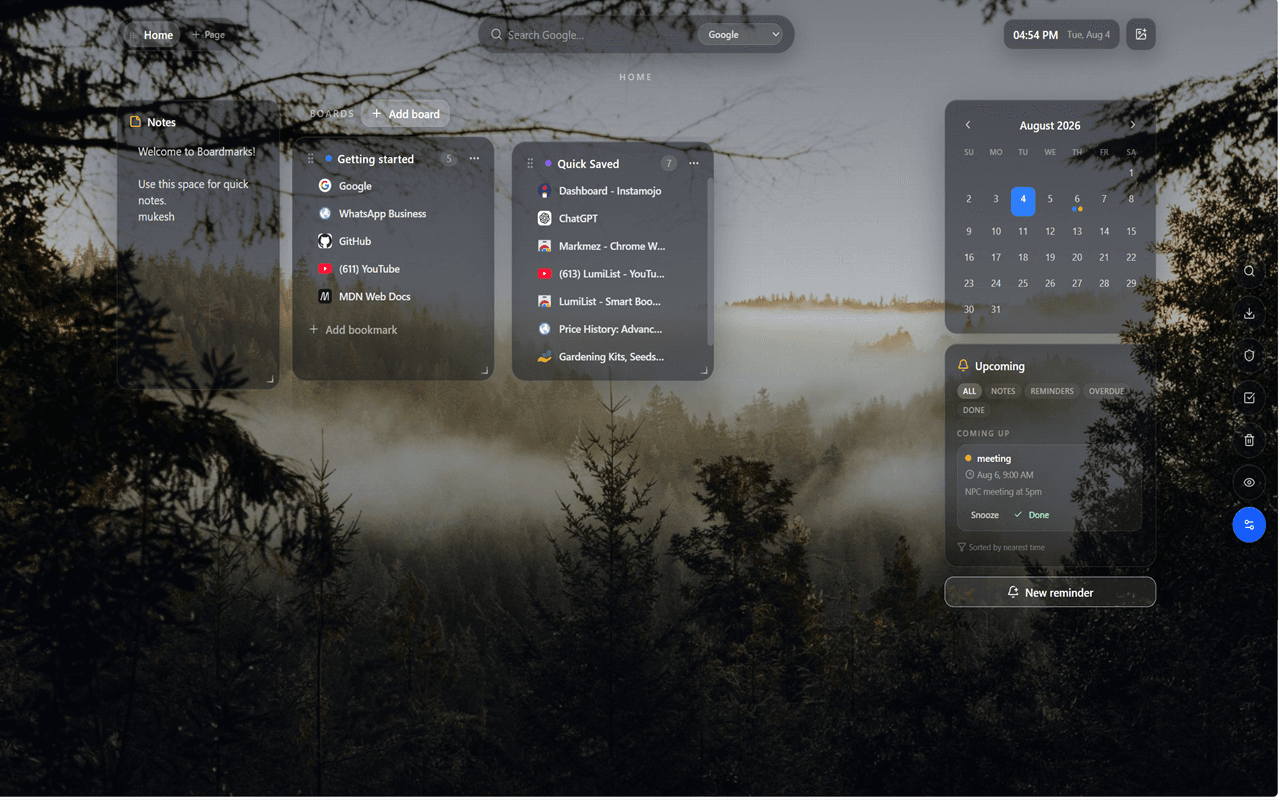
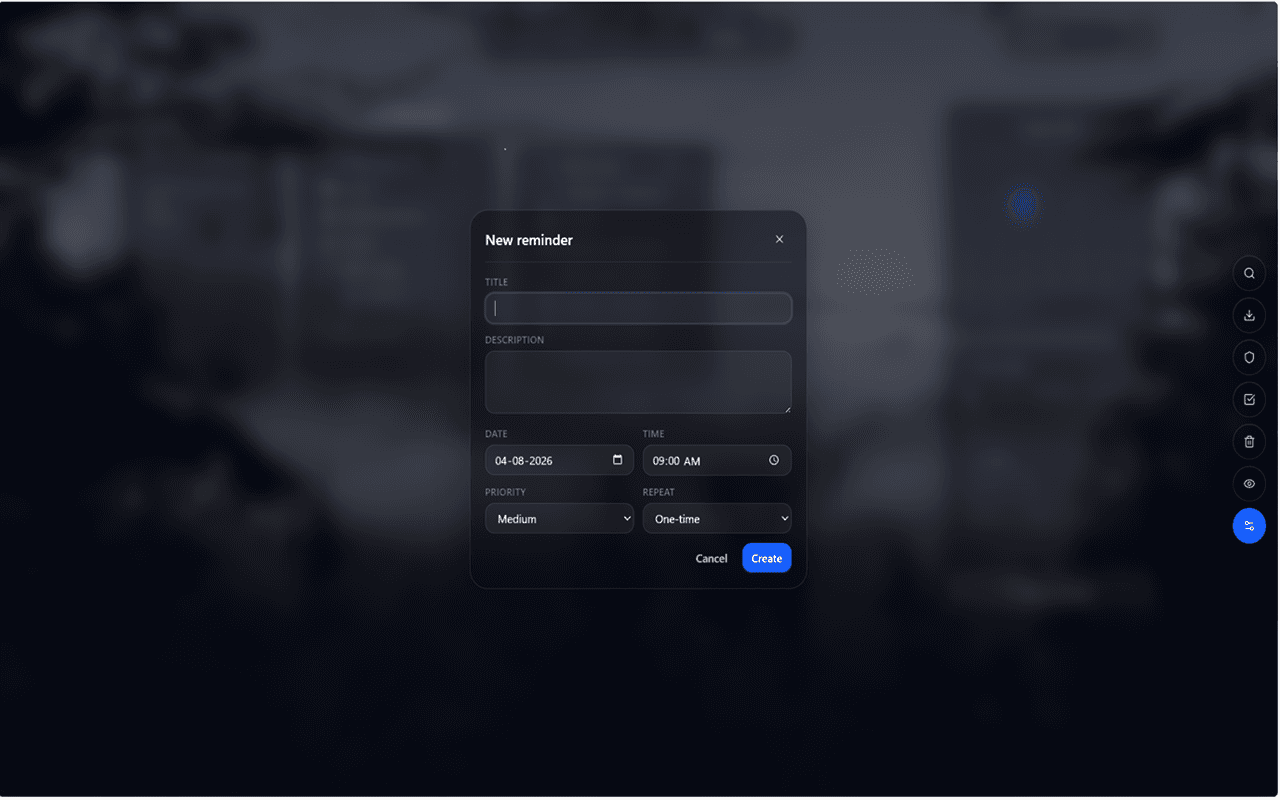
Real screenshots from the New Tab — glass boards over your wallpaper, with calendar notes and reminders built in.
Boards, notes, calendar, and reminders on one New Tab
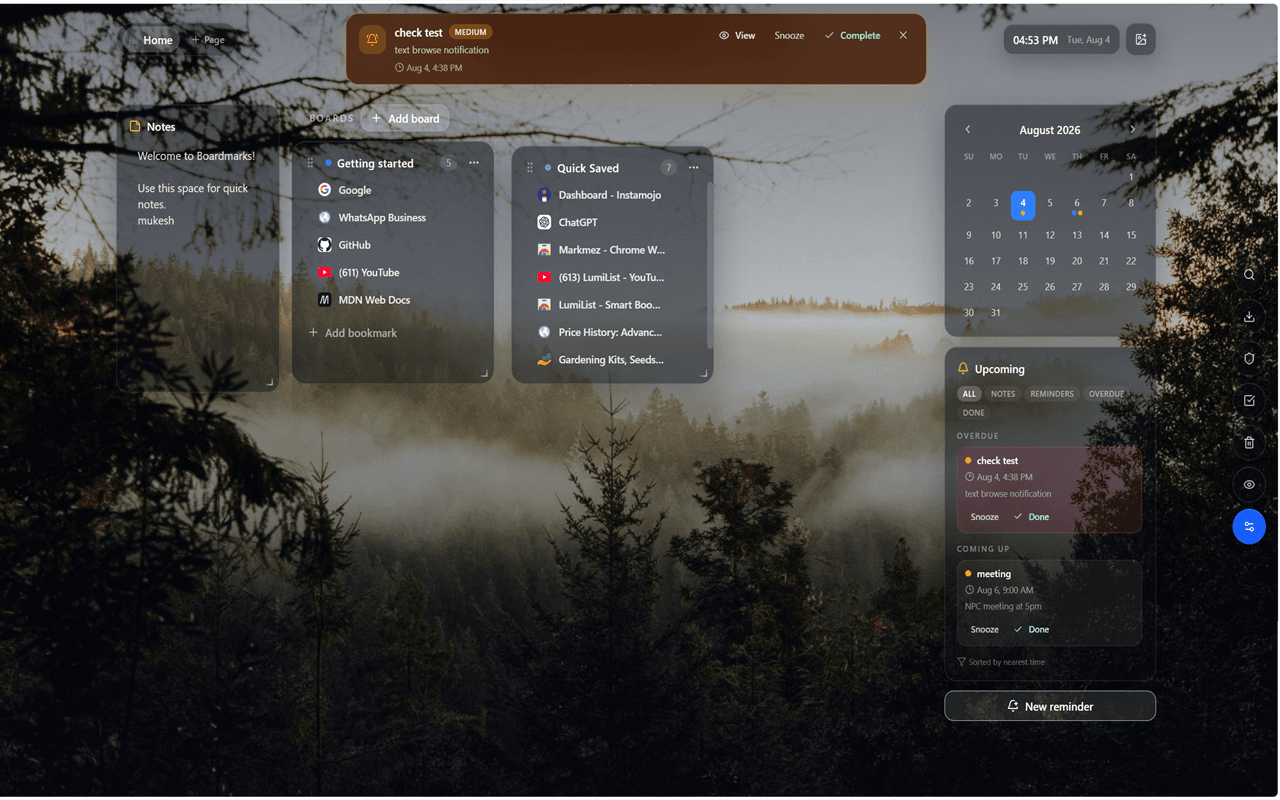
Due alerts
Sticky due strip with snooze and complete actions
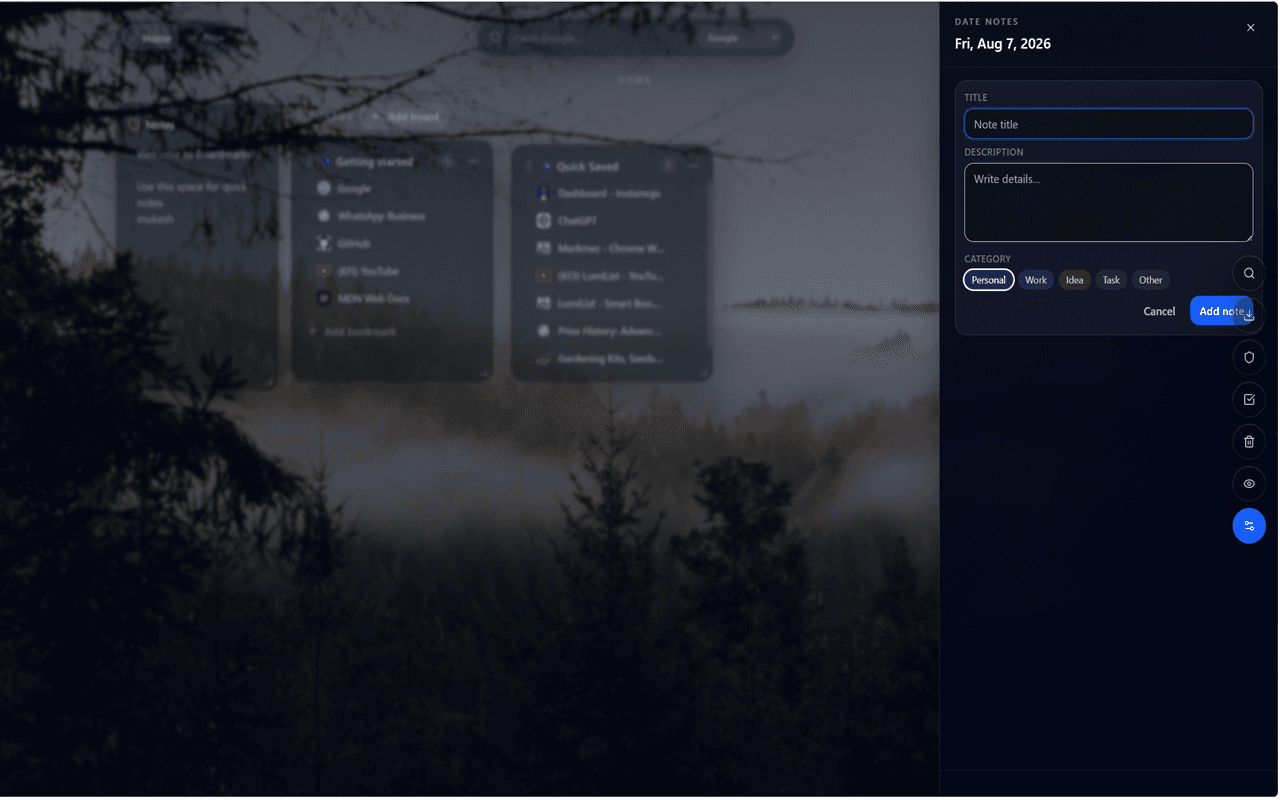
Date notes
Click a day to add titled notes with categories
Built for daily use
Save tabs into boards, open date notes from the calendar, and keep due reminders visible until you snooze, complete, or dismiss them.
Features
Built for people who want their start page to feel organized, useful, and genuinely theirs.
Organize bookmarks into visual boards you can move, resize, and color.
Save the current tab or all open tabs from the toolbar popup in one step.
Click any date to add titled notes with categories and quick previews.
Set time, priority, and optional daily, weekly, or monthly repeats.
When a reminder is due, a clear strip stays on your New Tab until you act.
Search Google, Bing, YouTube, or DuckDuckGo right from the New Tab.
Blur titles when someone is nearby. Hide the dashboard when you want quiet.
Soft-delete boards and bookmarks, then restore them when you need them.
No account needed. Your workspace stays on your device by default.
Pricing
Seven days free from the extension. Paid plans unlock ongoing write access with a license key after Razorpay checkout.
7-day free trial
₹0then choose a plan
Full write access for seven days. Start from the Boardmarks extension with your email — no card required.
Pro Yearly
₹999per year
Auto-renewing yearly subscription. License key emailed after payment — activate on one device.
Pro Lifetime
₹2,999one-time
Pay once. Lifetime license for Boardmarks on one device, with self-service device transfer.
Privacy first
Boardmarks stores pages, boards, notes, and reminders in Chrome local storage. We do not sell your data, and we do not send your browsing data to external servers for tracking or ads.